Warning: FLwatch is a highly experimental project. Use it with caution and extreme care. Do not make medical decisions based on this software. It comes with no warranty and is used at your own risk.
FLwatch is free and open source. It is being developed out of personal needs, but everyone should be able to benefit from it.
At a Glance
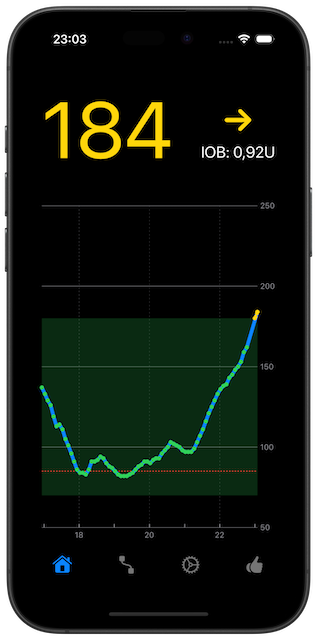
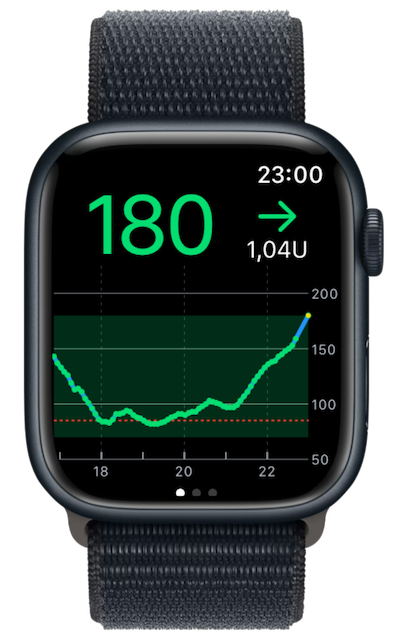
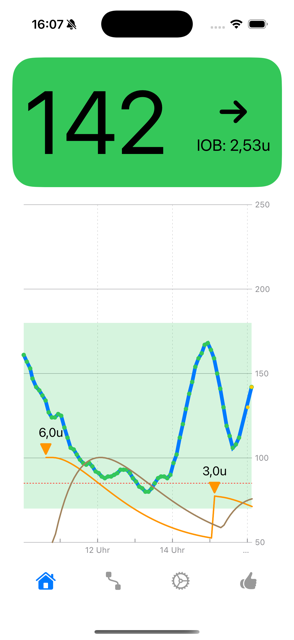
- Shows glucose, insulin-on-board, and activity graphs on iPhone and Apple Watch
- Includes widgets, complications, Live Activities, Watch Smart Stack mirroring, and Apple Health export
- Supports manual insulin logging and a built-in carb-to-insulin calculator
- Requires iOS 18 and watchOS 10.5
- Available on TestFlight: https://testflight.apple.com/join/HwgkwcGz
- Uses LibreLinkUp follower account credentials, not LibreView credentials
Quick Start
-
Install FLwatch from the App Store.
- Make sure the watchOS app is installed on your Apple Watch, ideally before starting the iOS app.
- Create and verify a LibreLinkUp follower connection for yourself.
- Enter the LibreLinkUp follower credentials in FLwatch on the Connect tab.
- Wait up to a minute for data to appear.
If the watchOS app is installed, settings and credentials entered in the iOS app are transferred to the watch app.
- @TypeOneCallum made a very helpful setup tutorial video. Watching it can make setup much easier.
Set Up LibreLinkUp
To make FLwatch work, you need to invite yourself to become your own follower.
LibreView credentials do not work.
- In the LibreLink or Libre 3 app, go to Share / Connected Apps.
- Open Connect / Manage LibreLinkUp.
- Tap
Add Connectionand enter the email address you want to use for the follower account. - Accept the invitation sent to that email address.
- Install the LibreLinkUp app on your phone and complete the setup for that invited follower account.
- Confirm that you can see your own blood glucose graph in LibreLinkUp.
- Open FLwatch and enter the follower account credentials there.
The email address for the follower account can be the same as the one used for LibreView.
There is also a step-by-step guide from LibreLinkUp that may be useful.
Only one followed patient per follower account is currently supported by FLwatch.
The LibreLinkUp app can then be closed or even uninstalled. You may still need it later to accept updated Terms of Use or Privacy Policies, or to check that the account and connection still work.
Connect FLwatch
- Enter your LibreLinkUp follower credentials in FLwatch on the
Connecttab. - If the watchOS app is installed, the credentials are transferred to the watch app.
- If needed, you can transfer the credentials again by pressing the
Connectbutton once more. - Data may take up to one minute to be fetched and displayed.
Insulin Features
To use insulin calculation, tap the IOB label on the home screen.
Currently supported insulin types:
- Rapid-acting insulin, such as Novolog and Novorapid
- Fast rapid-acting insulin, such as Fiasp and Lyumjev
FLwatch also supports manual insulin logging and includes a built-in carb-to-insulin calculator.
More insulin types can be added on request.
Watch and Siri Tips
- To keep the glucose graph visible on the watch for one hour, open the watch settings or the iPhone
Watchapp, then go toSettings > General > Return to Clock, scroll down to FLwatch, and chooseAfter 1 hour. This lets FLwatch stay in the foreground longer and receive a reasonable number of updates, for example about once per minute. - The easiest way to start the phone or watch app is to place a widget or complication on your Home Screen, Lock Screen, watch face, or similar location and tap it.
- Live Activities on iPhone can also be mirrored into the watch Smart Stack for quick access.
- Siri and Shortcuts can be used to read out or display the current blood glucose value.
- Siri and Shortcuts can also be used for voice recording of insulin doses or for quick insulin dose recording on the watch.
- To open the app hands-free with Siri, create a shortcut on the phone that simply opens FLwatch. For example, you could name it
glucose graphorblood sugar. Enable the option to show the shortcut on the watch. Then saying that phrase to Siri can open FLwatch directly. The same also works on the phone.
Features
Monitoring
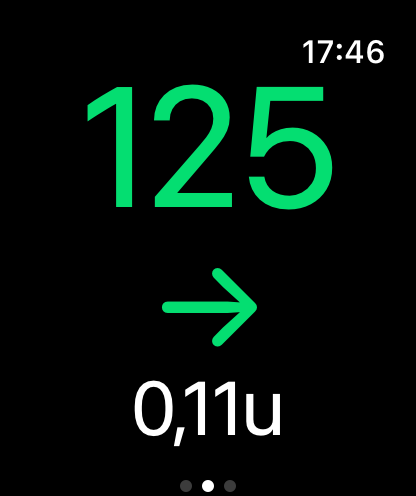
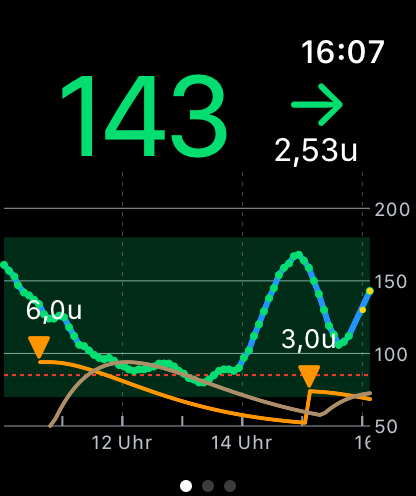
- Blood glucose graph on phone and watch
- Interactive chart on phone to display individual values on tap
- Phone screen always-on mode
Insulin
- Supports rapid-acting and fast rapid-acting bolus insulins
- Insulin on board calculation (IOB)
- Insulin on board graph
- Insulin activity graph
- Manual insulin logging
- Built-in carb-to-insulin calculator
System Integration
- iOS widgets and lock screen widgets with and without graph(s)
- Live Activities on iPhone, including Watch Smart Stack mirroring
- StandBy mode widget
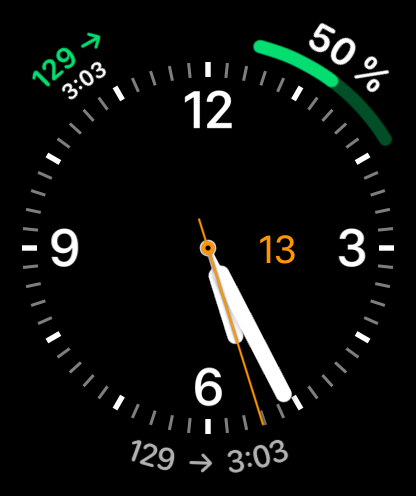
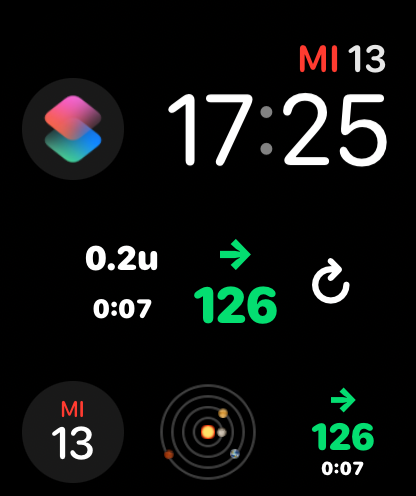
- watchOS widgets and complications
- CarPlay support via widgets and Live Activities
- Export insulin doses and glucose data to Apple Health
- Siri and Shortcuts support for glucose display, glucose readout, and quick insulin dose recording
Technical Notes
FLwatch uses the exponential insulin model from LoopKit. The model uses three parameters: actionDuration, peakActivityTime, and delay.
- For rapid-acting insulin, the parameters are 360, 75, and 10 minutes.
- For fast rapid-acting insulin, the parameters are 360, 55, and 10 minutes.
ToDo
- Implement workout activity
Support and Feedback
For support, please open a GitHub issue, start a GitHub discussion, or email flwatch [ a t ] cmdline [ d o t ] net.
Feedback is very welcome and can be sent through the same channels.
Donations
Donations are always very welcome.


Screenshots
iPhone Screenshots
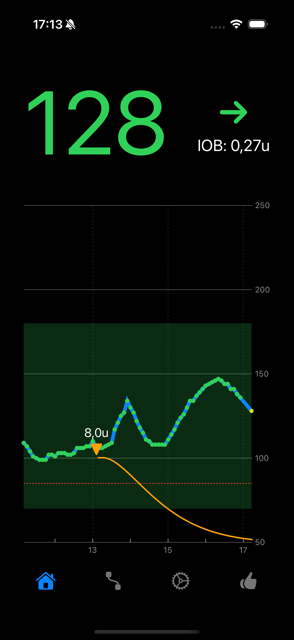
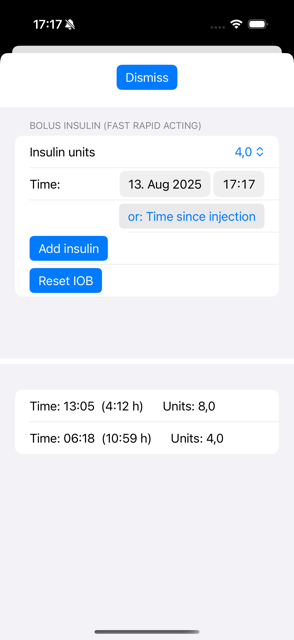
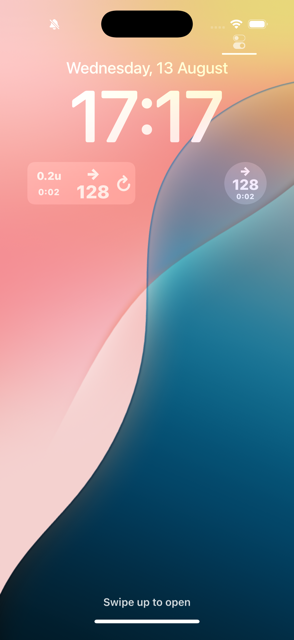
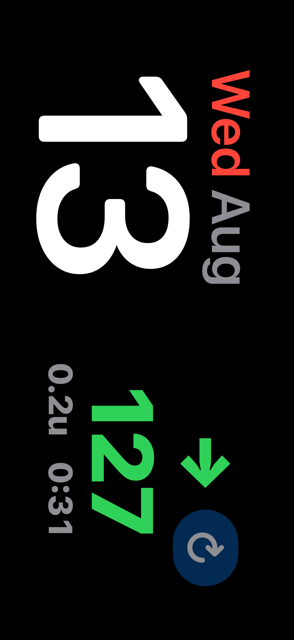
Watch Screenshots
Credits
Please have a look at these projects as well:
DiaBLE, LoopKit, GlucoseDirect, Nightguard, Nightscout LibreLink Up Uploader
All product and company names, trademarks, service marks, registered trademarks, and registered service marks are the property of their respective holders. Their use is for information purposes and does not imply any affiliation with or endorsement by them. Please note: this app has no connection with and is not endorsed by Abbott Diabetes Care Inc.